Making school routes visible
With Zebrio, parents show their school how their child gets to school and where the way is dangerous. Many answers add up to a clear picture and a basis for the school route plan: where do the municipality and the school need to act so that children arrive safely?
For parents
Did you get a letter from the school?
Scan the QR code or enter the code by hand. Then draw the way to school and mark dangerous and good spots.
For schools
How do your children get to school?
From the parents' point of view, without paper forms and without counting. With a finished report and geodata for the municipality and the traffic authority.
How it works
The school sets up Zebrio in about 10 minutes and hands out the parent letters. Parents answer on their phone or computer. The school gives a report to the municipality and the traffic authority. It is the basis for the school route plan and for improvements on site.
Schoolsets up and prints the parent letters
Parentsshow routes and spots
Schoolanalyses and writes the report
Municipality and traffic authorityschool route plan and improvements on site
The analysis on a map
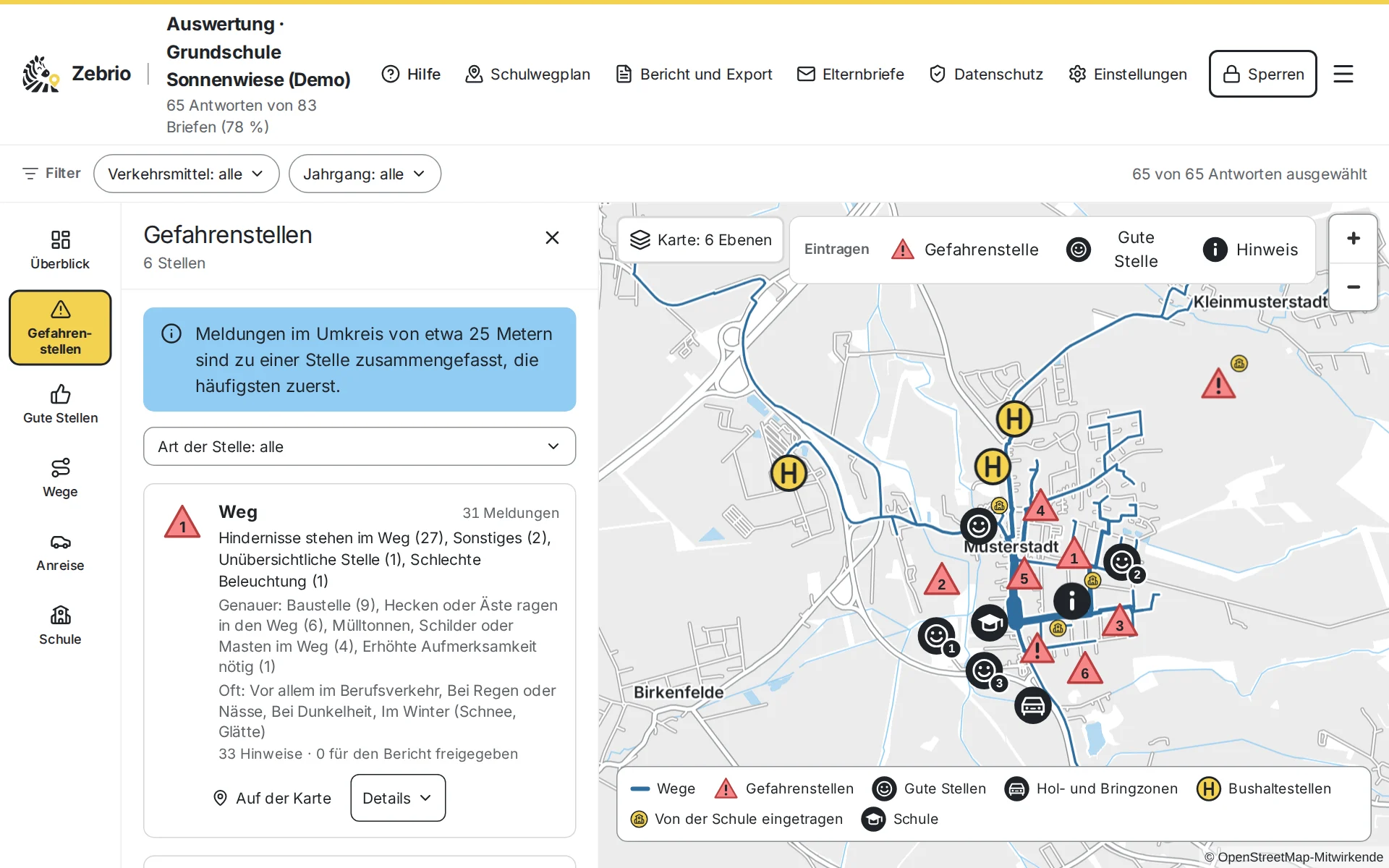
Every answer is in the analysis at once: which ways the children take, where parents see dangers and how the children get to school. Dangerous spots close together are grouped, the most reported first.
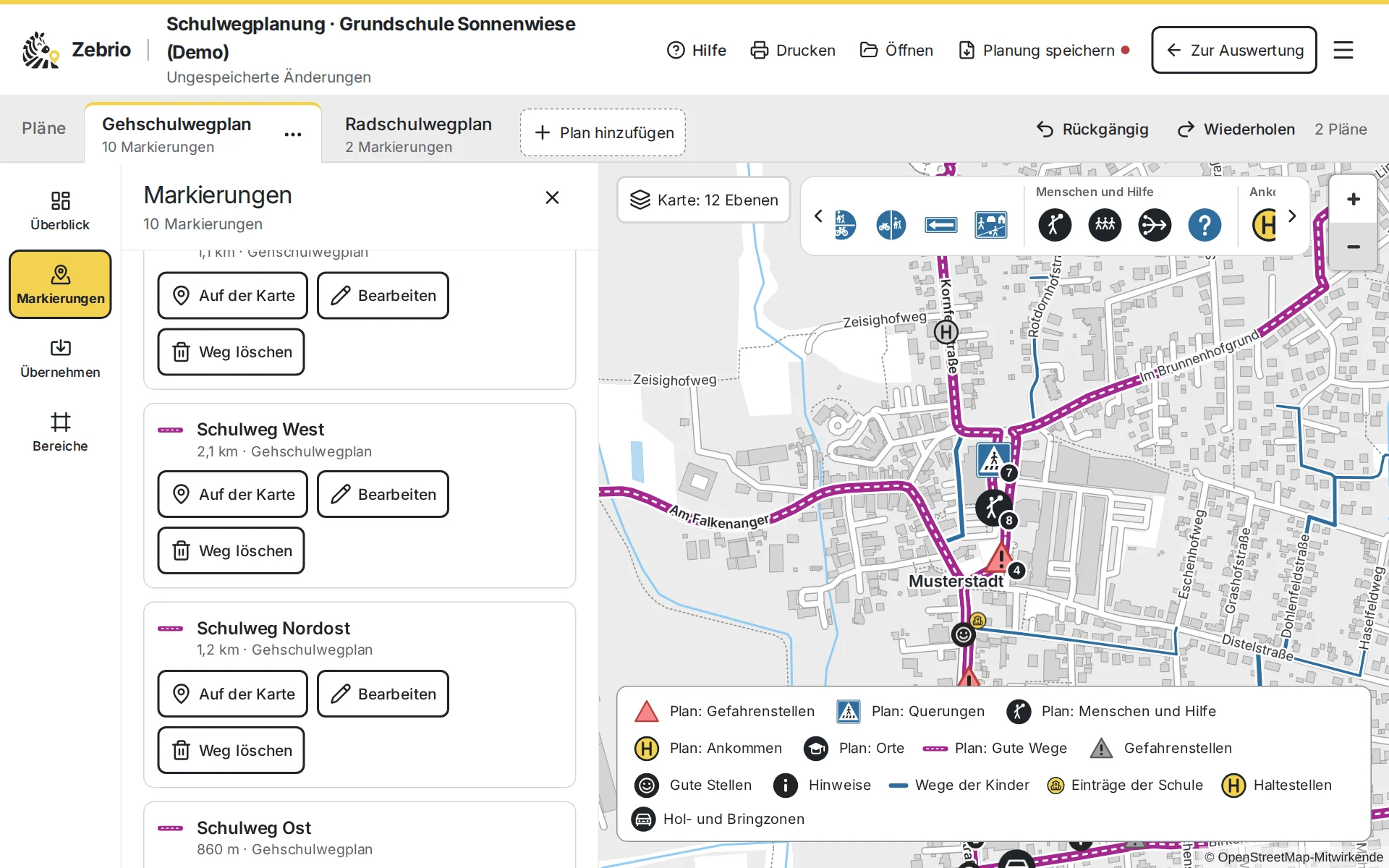
From there to the school route plan
For parents: on a phone or a computer
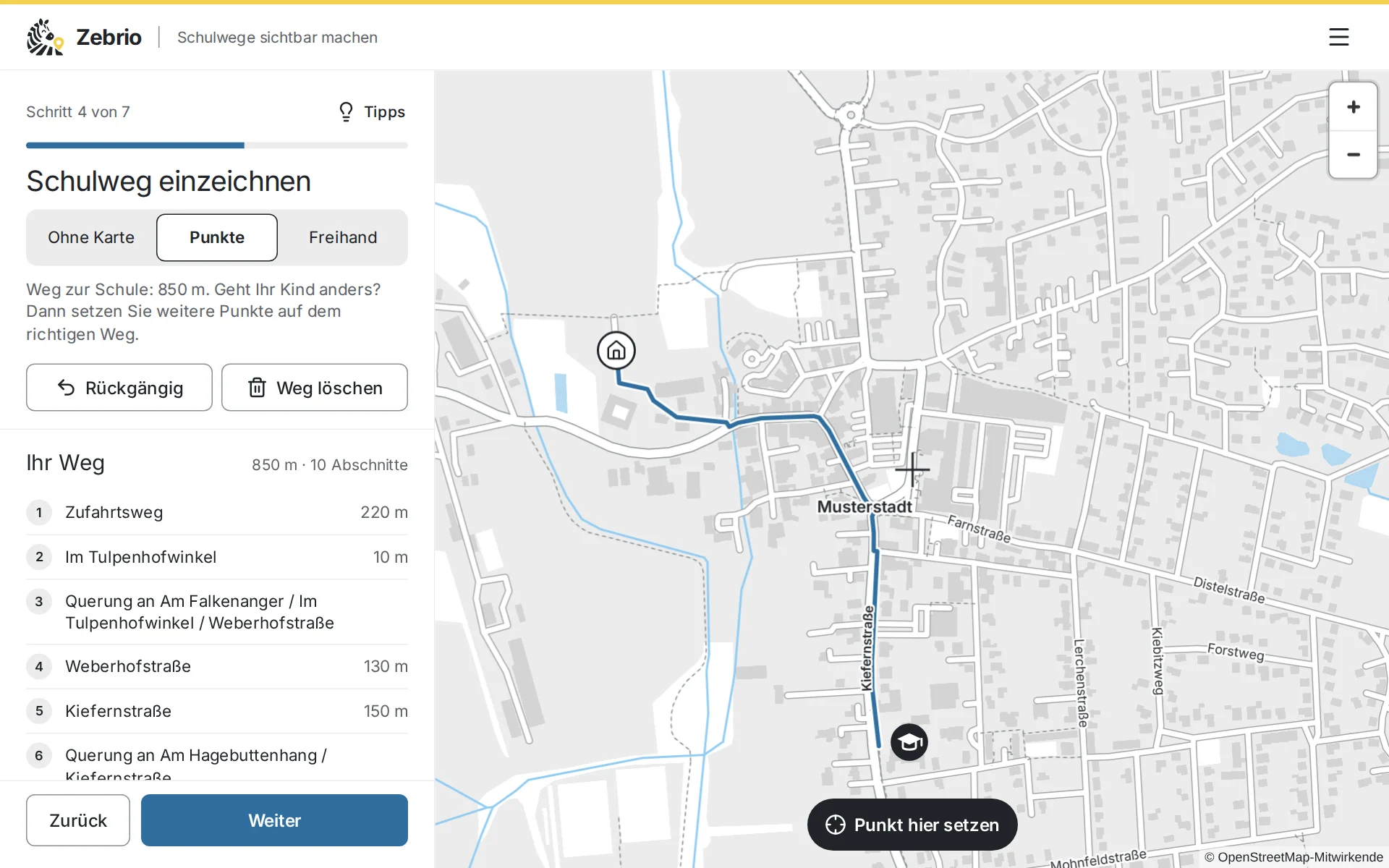
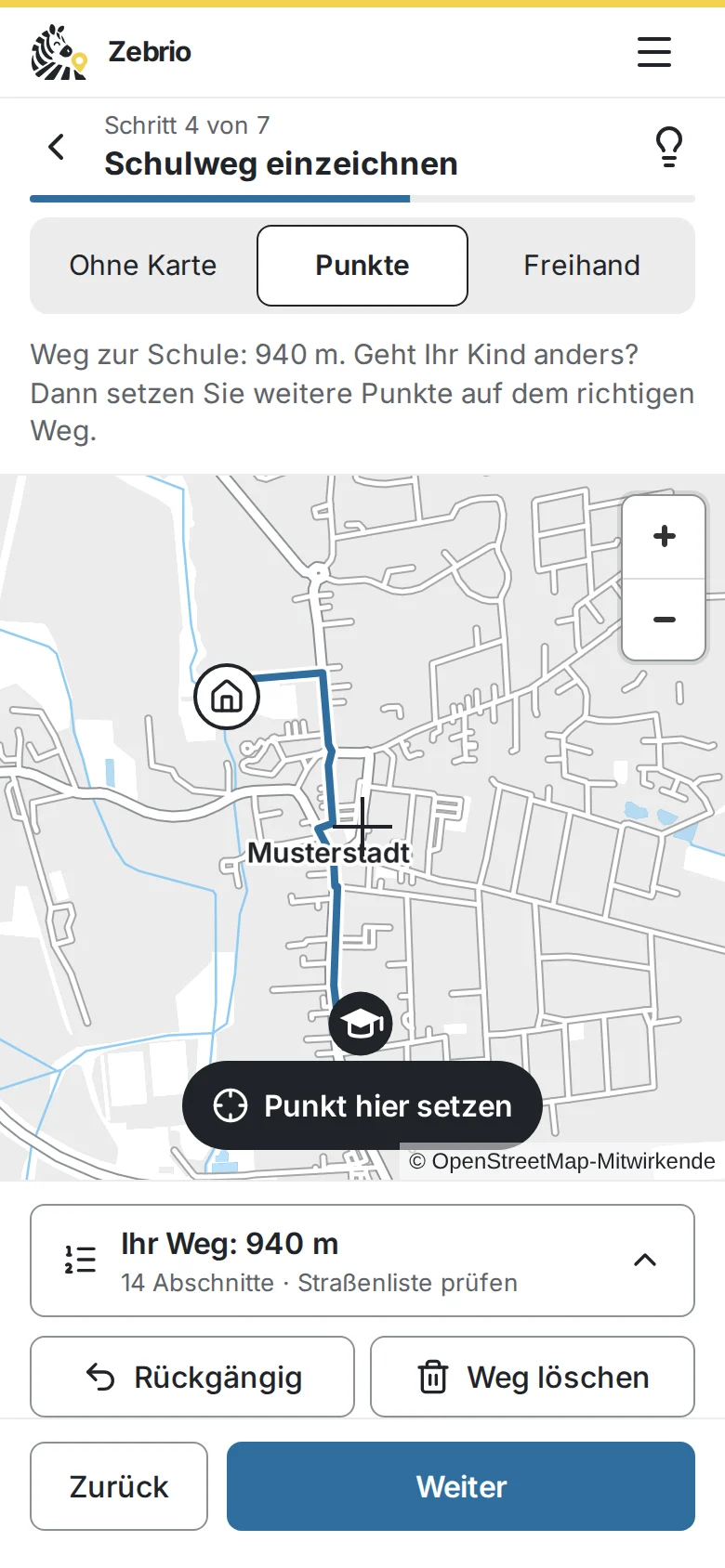
Parents scan the QR code in the letter and draw the route to school right in the browser. On a phone the map fills the screen, on a computer the controls sit beside it. There is nothing to install and no account. It takes about ten minutes.
The answers are protected
The answers are encrypted on the parents' device already. Only the school has the key; neither the operator nor the hosting provider can read them.
More on data protection in the surveyWhat everyone can rely on
- Zebrio does not ask for names or addresses.
- No advertising, no cookies, no tracking.
- The municipality only gets summarised results, never the way of a single child.
- Old entries are deleted automatically.
Try it first
In the demo you play through a school route survey at the invented Sonnenwiese primary school in Musterstadt, from both sides. As a parent you draw a route to school and mark dangerous and good spots. As the school you open the analysis with the key sheet and see the answers of 60 sample families on the map, up to the finished report. So you know beforehand exactly what it means for the school and the parents. You get a personal access for 14 days on request by email. The demo is in German.
As a parent
Draw the route to school, mark dangerous and good spots, send it encrypted.
As the school
The analysis with the map, problem spots, means of transport and the reasons for driving children.
The report
Ready for the municipality and the traffic authority, as a web page, PDF and GIS data.
Zebrio at your school too?
Schools, parents' councils and municipalities that would like to run a school route survey can simply send us an email. We answer your questions and set up the survey for the school.